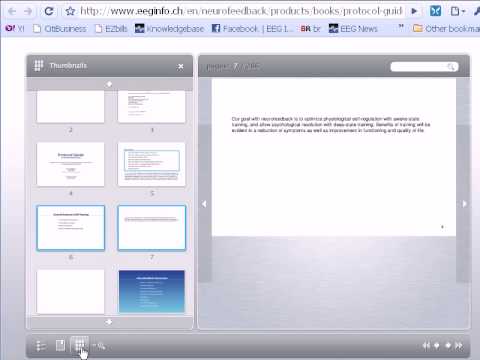
Hi, this is Kurt Othmer from EEG Info and I wanted to tell you about our new on-line edition of the Protocol guide This is a new useful tool for you, gives you the capability to read this on-line, on a computer which gives you searchable capabilities and also four different languages, we have Spanish available, French available, and German available, and of course English To order the new on-line protocol guide go to our website www.eeginfo.com and click here on products up here in the search bar at the top you can type in Protocol Guide and click here on the protocol guide on-line edition down at the bottom it says add to cart and continue with that, and that will get you the new on-line edition of the protocol guide. once you've ordered, you'll receive an e-mail from us that will give you a link to our members area. if you want to log in at another time, and you don't have access to that e-mail you can also access this members area, just by going to our website www.eeginfo.ch this is our partner website and on eeginfo.ch you'll see a login link here in the upper right hand corner click on that, and that will take you to the area where you can type in your username and password which you will also receive from us when you order the on-line protocol guide once you log in, you are going to see this View Protocol Guide On-line you may want to change languages, here you see we are in English we can go ahead and up here change to German, we can change to French, and we can also change to Spanish Those are the languages that the protocol guide is available in right now. Once you've chosen the language that you prefer then you can go ahead and hit View Protocol Guide On-Line and that will launch the on-line protocol guide With the protocol guide launched, first you can click and drag and move the paper Great fun with the animations available here. and I can click on this, and go ahead and scroll around in the protocol guide If you notice that this maybe looks a little small to see this is just the overall view. we can go ahead and hit the zoom in button which allows us to zoom in on a specific page and makes it much bigger and easier to read. I can then hit these arrows on either side to move around between the pages. I can also roll my mouse up and down the page If there is something hidden at the top or the bottom, I can move around on the page nicely. and then continue to hit these right and left arrows to navigate around in the book. for even better navigation I can go down here to the thumbnails. and in the thumbnails, I can actually move all the way around in the book I can use the arrow at the top, I can use the arrow at the bottom, Or I can even use the scroll wheel on my mouse and scroll this down to another area in the book that allows me to get to a specific topic another great way to get to a specific topic in the new on-line edition of the protocol guide is to use the search, which I clicked there at the top now I can type a word, like BRAIN for example and I hit the find button, and this will find all the instances of the word brain. and then I can click on that, and that will take me to the specific slide that has that. I can close this little search box and continue reading from there. If I'd like to bookmark this specific location, I can also do that. and go down to bookmarks, and enter a name for this bookmark and we're going to call this BRAIN and press add and that's going to give me a link to this specific location, so that I can get back to any of the bookmarks that I've saved in the book for a later time. Thank you and I really hope you enjoy the on-line edition of Sue Othmer's new Protocol Guide